Help Window
The Help menu has several options for getting help and suggesting resources.

News
Show the latest news banner.
View Help
Open this document
Getting started
Open the Getting Started panel, a seven-step checklist of the everyday workflow. It opens by itself the first time you create a catalog; this button brings it back at any time.
Support
Open our support web page
Home
Open our web page
Order
Open the product order page. When you buy the license it is valid for the latest version at the time of purchase, make sure to save a copy of the installer if you need to install the same version later.
Activate
Open the dialog to activate a license on your computer. A license runs on one computer at a time, and you can move it between computers. See How to Move Your License to a New Computer.
Release
Remove the license from this computer, so that you can activate it on another one.
My licenses
Open the license portal, already signed in. The portal shows your licenses and the computers they are activated on, lets you release a computer you no longer have access to, and has the download link for the latest version your maintenance covers.
Update
If you have a maintenance subscription, this button checks if a new version is available for download. Your license will work for the latest software version as long as you have maintenance. If you do not have maintenance, the software will continue to work, but only for the version you have a license for.
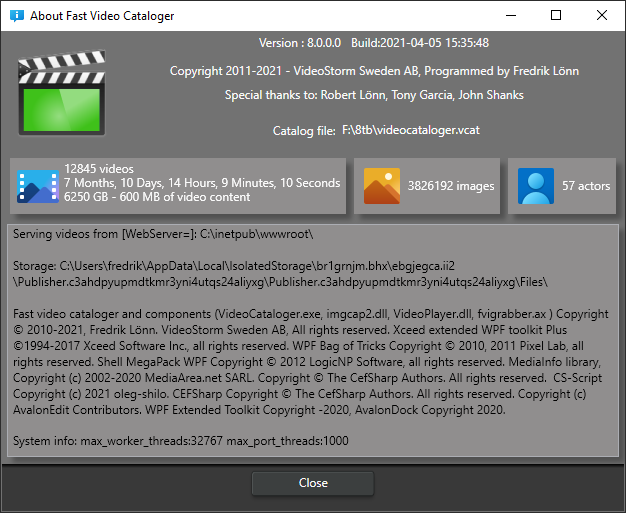
About
Show the about box with the version number for the program.
We also show some basic statistics on the loaded catalog, like how many videos it contains, how long the total playtime would be to watch all videos, and how large all video files are in total.