AI Classification Tab
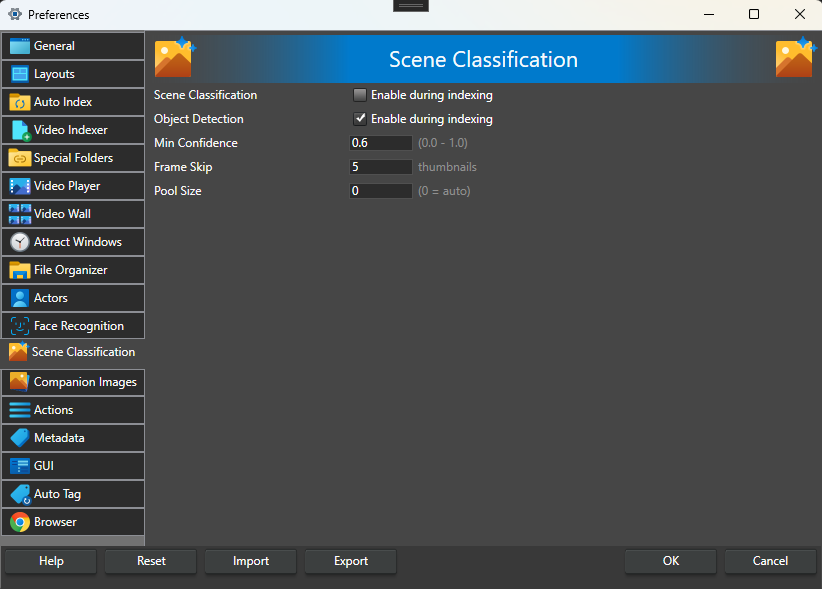
This tab controls the AI options that run on your video thumbnails during indexing — scene classification and object detection, image tagging, trained tags and the visual search index — and the settings that tune them. All but the visual search index add their results as keywords.
The on/off switches also appear on the Video Indexer tab; this is where they are tuned.
Image tagging, trained tags and the visual search index share one AI model, which you download in the AI Models dialog (the AI Models button on the Maintenance screen of the File menu). While that model is missing, a yellow "model not downloaded" link is shown next to each of the three options; click it to open the AI Models dialog on that model.
Scene Classification -- When checked, automatic scene classification runs during video indexing. Off by default.
Object Detection -- When checked, automatic object detection runs during video indexing. Off by default.
Image Tagging -- When checked, image tagging runs during video indexing. Off by default. This has no effect until the image-tagging model has been downloaded; until then indexing simply skips it. Tagging is heavier per frame than scene classification and object detection, so indexing takes longer with it enabled.
Trained Tags -- When checked, thumbnails are matched against the tags you trained from example images during video indexing. Off by default. Needs the trained-tags model.
Visual search index -- When checked, a compact description of every thumbnail is recorded during video indexing, so the video can be found with visual search. On by default. It uses the AI model shared with image tagging and trained tags, and does nothing until that model is downloaded; videos indexed without it can be added later from AI Scenes. Much slower on a computer without a graphics card.
Min Confidence -- Minimum confidence for scene classification and object detection results. Results below this value are ignored. The same value is the detection threshold for trained tags that are matched inside detected objects. Value between 0.0 and 1.0, default 0.70. This does not apply to image tagging, which uses Tag Sensitivity instead.
Tag Sensitivity -- Threshold for image tagging. Higher values give fewer, more confident tags; lower values tag more freely. Value between 1.5 and 5.0, default 3.0. See how a tag is chosen.
Frame Skip -- Process every Nth thumbnail with scene classification, object detection, image tagging and trained tags. Higher values result in faster processing but less detailed analysis. Value between 1 and 100, default 1 (every thumbnail). Frame Skip does not apply to the visual search index: every thumbnail is always added to it, so visual search can find any part of the video.
Pool Size -- Number of parallel inference sessions. Higher values use more memory but process faster. Set to 0 for auto, which selects based on CPU cores. Value between 0 and 64, default 0.