Attract Windows Tab
In the Attract Windows tab, you can change how the three attract windows behave: Attract Covers, Attract Video Wall and Attract Actors. The attract windows are a way to discover content in your catalog. They are not affected by the current search filter.
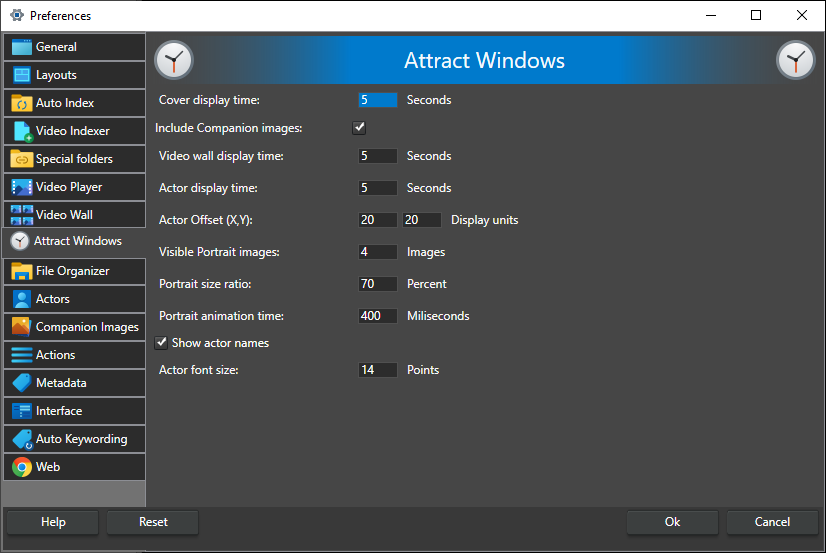
Cover display time -- The number of seconds each image is shown in the Attract Covers window. Default 5, range 1-60.
Include Companion images -- When checked, the Attract Covers window shows all companion images, not only covers. When unchecked, it shows cover images only. On by default.
Video wall display time -- The number of seconds each set of videos is shown in the Attract Video Wall window before it fades out and a new set is shown. Default 5, range 1-600.
Actor display time -- The number of seconds each actor is shown in the centre of the Attract Actors window. Default 5, range 1-60.
Actor Offset (X,Y) -- The spacing of the smaller portraits on each side of the centre portrait in the Attract Actors window, in display units. The first value is the horizontal step between neighbouring side portraits; the second is how much higher each portrait sits than the one before it. Default 20 and 20, range 1-600.
Visible Portrait images -- The number of portraits shown on each side of the centre portrait in the Attract Actors window. Default 4, range 1-20.
Portrait size ratio -- The size of the side portraits as a percentage of the centre portrait. Default 70, range 1-200.
Portrait animation time -- How many milliseconds (1000 ms = 1 s) it takes a portrait to slide from the side to the centre when the Attract Actors window moves to the next actor. This is the length of the animation, not how long each actor is shown; that is set by Actor display time. Default 400, range 1-10000.
Show actor names -- When checked, the Attract Actors window shows the name of the actor in the centre. On by default.
Actor font size -- The font size, in points, of the actor names in the Attract Actors window. Default 14, range 6-128.
How the Video Wall itself switches frames is set on the Video Wall tab.