How to Connect to a Server
You connect to a running Fast video cataloger server from the connect page: click Connect on the Start menu. A server is started, stopped, and managed from the Server page on the Start menu.
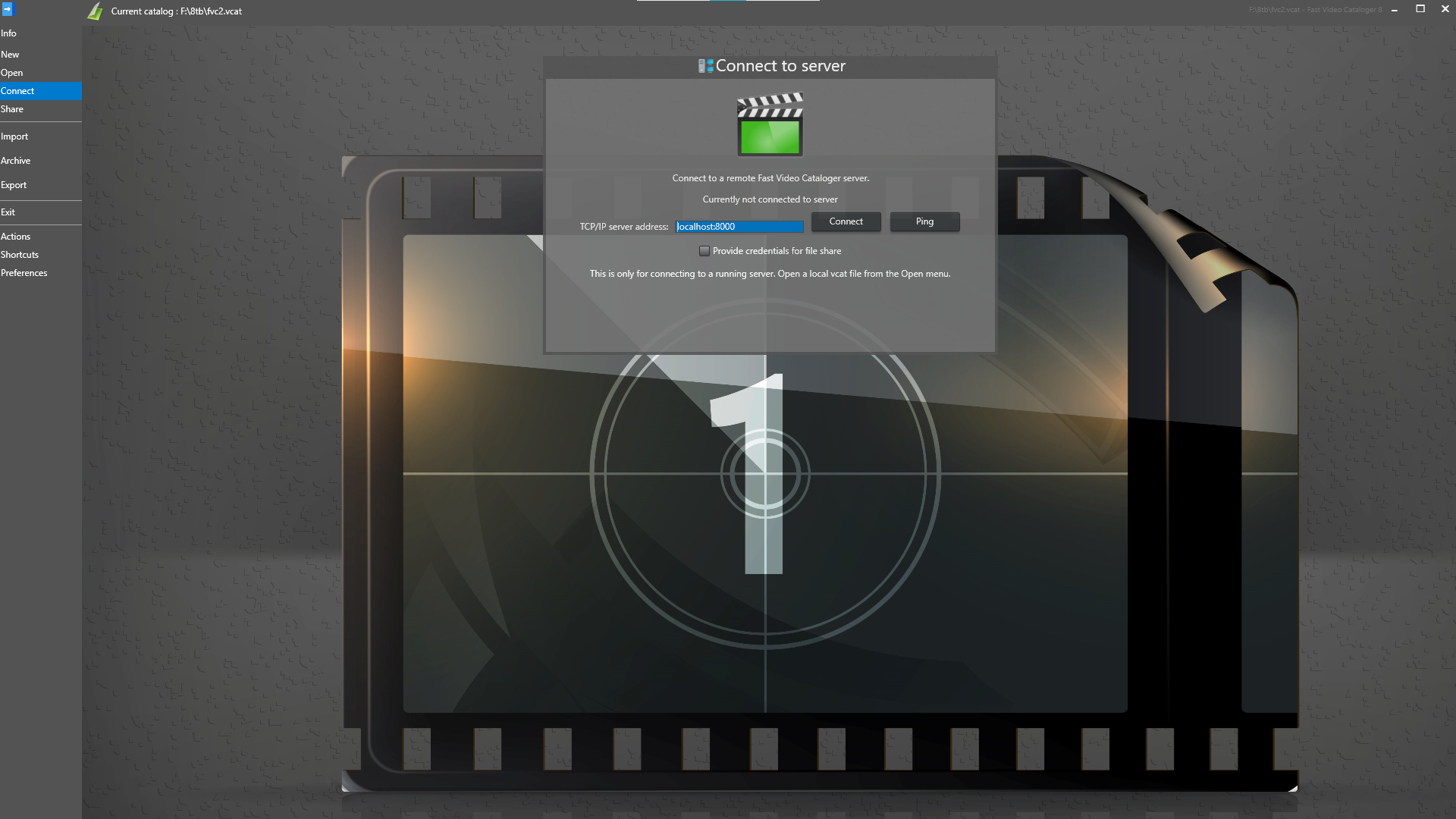
On the connect page you enter the url to the computer that is running the server and the port to connect to (:8754 is the default).
In a local Windows network, the URL can be the name of the computer you want to connect to.
Use the Ping button to check if your computer is able to connect to the remote computer. If the ping fails then the problem is that your computer can not reach the other computer and you should troubleshoot your network connection and firewall settings.
Click the connect button to connect to the server. If you manage to connect to the server, the connect screen will close. If the connection fails you will see an error message.
All video metadata is server from the Fast video cataloger server. The video files can be played over a web server or a Window share in a local network. If your server machine is set up to require login credentials to access the share, you can provide them by checking the credentials checkbox and entering the user and password you want to connect to the share. Note that is it possible to connect to the Fast video cataloger server while failing the credentials. The credentials are only used for playing videos and viewing companion images.
When the server runs another version
Fast Video Cataloger and the server it connects to should be the same version. When they are not, you are told when you connect, with both version numbers, and can choose to connect anyway:
- The server is older: features of your version that need the server do not work with that catalog until the server is updated. Update the server first, then the computers that connect to it.
- The server is newer: update Fast Video Cataloger on this computer to use everything the server has.
Only the first two numbers count: 10.5.0 and 10.5.1 connect without a question. A server older than 10.5 cannot report its version, so it is described as older than 10.5.
You are also told when the catalog on the server was upgraded by a newer Fast Video Cataloger than the one the server runs. The same goes for a catalog you open on your own computer: it opens, but what the newer version added is not shown or kept up to date until you update.