
Cloud-based video asset management systems require you to upload your footage to someone else’s servers. For many professionals, that’s a dealbreaker: bandwidth costs, upload times for large files, recurring subscription fees, and the fundamental question of who has access to your content.
Fast Video Cataloger is a local-first video asset management system. Everything runs on your Windows PC. Your videos never leave your machine.

Why local video management matters
Privacy and control
Your video files stay on your hardware. No uploads to third-party servers, no terms of service granting platform rights to your content, no risk of a cloud provider discontinuing service and losing access to your organizational data.
Speed
Local processing is faster than any cloud system. There’s no upload wait, no server latency, no buffering. Indexing runs at the speed of your CPU and storage. Browse thumbnail timelines and search results appear instantly.
No recurring bandwidth costs
Cloud DAMs charge for storage and transfer. A 10TB video library means significant monthly costs just to host it — before you even factor in the time to upload it all. With local management, your existing drives are your storage. Add a USB drive or NAS when you need more space.
Works offline
Traveling? On a plane? Working from a location with poor internet? Your entire searchable catalog is available offline. You can browse thumbnails, search keywords, and review metadata without any internet connection. Even if the drives containing the actual video files are disconnected, the catalog with all thumbnails and metadata remains accessible.
How Fast Video Cataloger works as a local DAM
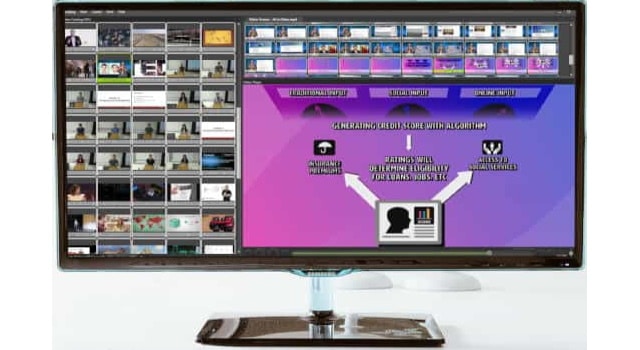
Fast Video Cataloger builds a searchable meta-database of your video library on your local machine:
Organize
- Add videos from local drives, external HDDs, USB sticks, or network shares
- Automatic thumbnail extraction at scene changes — visual timeline for every clip
- Tag videos and individual scenes with keywords
- Add custom metadata fields for your specific workflow
- XMP metadata extraction and optional write-back to video files
- Create printable contact sheet images

Search
- Search by keywords, metadata, scene tags, or any combination
- AI-powered transcript search — find videos by spoken words
- Filter by codec, resolution, duration, format, or custom properties
- Filtered list and column views for browsing 10,000+ videos
- Search works even when video drives are disconnected
Collaborate
- Built-in server for sharing catalogs on a local network or over the internet
- Share catalog files via email, Dropbox, or USB drives
- Catalogs open on other computers even without the video files present
- No cloud account required for team access
Automate
- C# scripting API for custom workflows
- Batch processing, metadata extraction, file organization
- Create custom actions and launch external tools
- Export catalog data to CSV
Local vs. cloud: cost comparison
| Fast Video Cataloger (local) | Typical cloud DAM | |
|---|---|---|
| Software cost | $197 one-time or $9.90/mo | $15-50+/mo per user |
| Storage cost | Your existing drives | $0.02-0.10/GB/month |
| 10TB storage/year | $0 (your drives) | $2,400-12,000/year |
| Upload time for 10TB | None | Days to weeks |
| Team access | Built-in server (free) | Included in subscription |
| Internet required | No | Yes |
| Data privacy | 100% local | Third-party servers |
Who chooses local over cloud?
- Privacy-conscious professionals — legal firms, medical, government, defense
- Large library owners — 10TB+ libraries where cloud storage costs are prohibitive
- Teams with poor connectivity — remote locations, travel-heavy workflows
- Cost-conscious studios — one-time purchase vs. perpetual subscription
- Archival workflows — long-term storage on offline drives with searchable catalogs
Get started
Download the free 30-day trial. No email, no cloud account, no credit card. Install it, point it at your video folders, and start searching.